Connect Libwana.Net CRM With Google Calendar
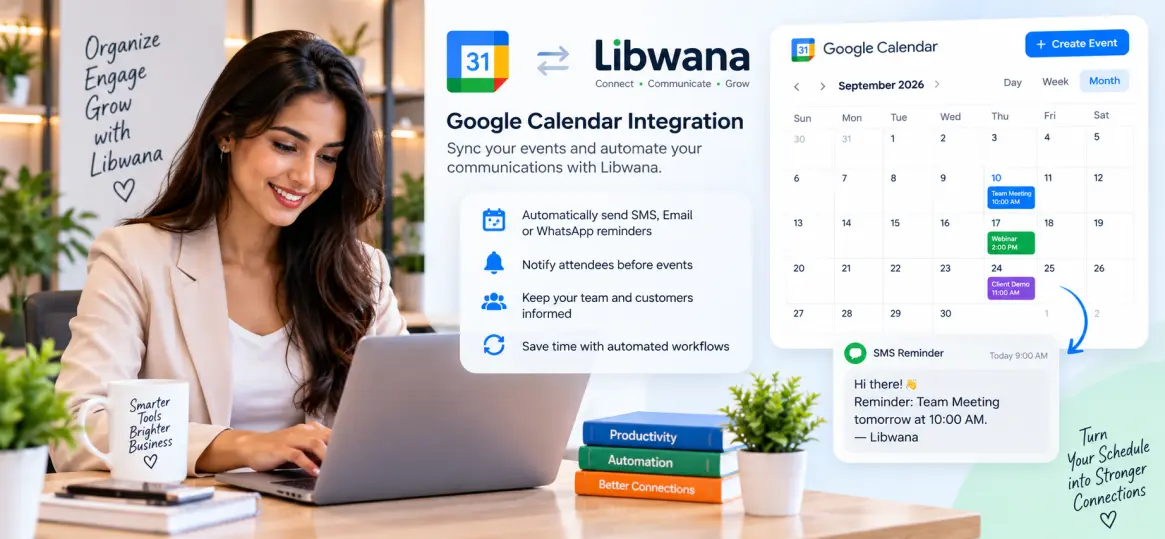
Connect your Libwana.Net CRM with Google Calendar so meetings, appointments, follow-ups, demos, calls, interviews, consultations, and other scheduled CRM activities can be added to a user's calendar.
This integration helps teams keep CRM activity and their daily calendar in one workflow, reducing duplicate manual entry and making scheduled customer activity easier to track.
A sales representative schedules a follow-up inside the CRM. The integration can create a matching Google Calendar event with the customer name, date, time, meeting details, and CRM reference.
What You Can Use the Integration For
Add sales meetings, product demos, consultations, onboarding calls, or client meetings to Google Calendar.
Turn CRM follow-up dates into calendar events so users can see upcoming actions alongside the rest of their schedule.
Add customer appointments with start time, end time, description, contact details, and meeting location or online meeting link.
Where your Libwana.Net configuration supports it, assign CRM activities to the relevant team member and connect them to the appropriate Google Calendar.
Requirements
Before connecting Google Calendar, make sure the user has an active Google account and access to the calendar that should receive CRM events.
The Google connection should use OAuth authorization. Users should sign in to Google and approve only the permissions required by the integration.
How to Connect Google Calendar
Recommended CRM to Google Calendar Field Mapping
| Libwana.Net CRM Field | Google Calendar Field | Example |
|---|---|---|
| Activity / Meeting Title | Event Title | Product Demo - Alex Johnson |
| Start Date & Time | Start | 2026-09-25 10:00 AM |
| End Date & Time | End | 2026-09-25 10:30 AM |
| Customer Email | Guest / Attendee | alex@example.com |
| Phone Number | Description | +1 555 123 4567 |
| Meeting Location | Location | Office / Google Meet / Customer Address |
| CRM Notes | Description | Discuss pricing and onboarding requirements. |
| CRM Record ID | Description / Internal Reference | LEAD-10251 |
Example Calendar Event Data
The exact implementation depends on how the Google Calendar connector is configured, but a CRM activity can conceptually map to event data like this:
{
  "title": "Product Demo - Alex Johnson",
  "start": "2026-09-25T10:00:00",
  "end": "2026-09-25T10:30:00",
  "timezone": "America/New_York",
  "customer_email": "alex@example.com",
  "location": "Google Meet",
  "description": "Discuss pricing and onboarding requirements.",
  "crm_record_id": "LEAD-10251"
}Common Automation Examples
When a CRM meeting is created, create the corresponding Google Calendar event.
When the CRM activity time changes, update the linked calendar event if update sync is enabled.
When a CRM meeting is cancelled, update or remove the related calendar event according to the configured sync rules.
Create a calendar reminder for a lead, prospect, customer, or support follow-up.
Prevent Duplicate Events
Store the Google Calendar event ID against the corresponding CRM activity whenever possible. This makes it easier to update the existing event instead of creating a new duplicate each time the CRM record changes.
Keep the Libwana.Net CRM activity ID together with the Google Calendar event ID.
Synchronization Direction
| Sync Type | Description |
|---|---|
| CRM → Google Calendar | CRM activities create or update events in Google Calendar. |
| Google Calendar → CRM | Calendar changes can update CRM activity when reverse sync is implemented. |
| Two-Way Sync | Changes are synchronized in both directions when two-way synchronization is enabled. |
Privacy and Security
Request only the Google permissions needed for the calendar workflow. Store access credentials securely on the server and never expose OAuth tokens in frontend or browser JavaScript.
Avoid placing unnecessary confidential CRM information inside calendar event titles or descriptions, especially when a calendar may be shared.
Troubleshooting
Connect Your CRM Schedule With Google Calendar
Keep meetings, follow-ups, and appointments organized with Libwana.Net CRM.