

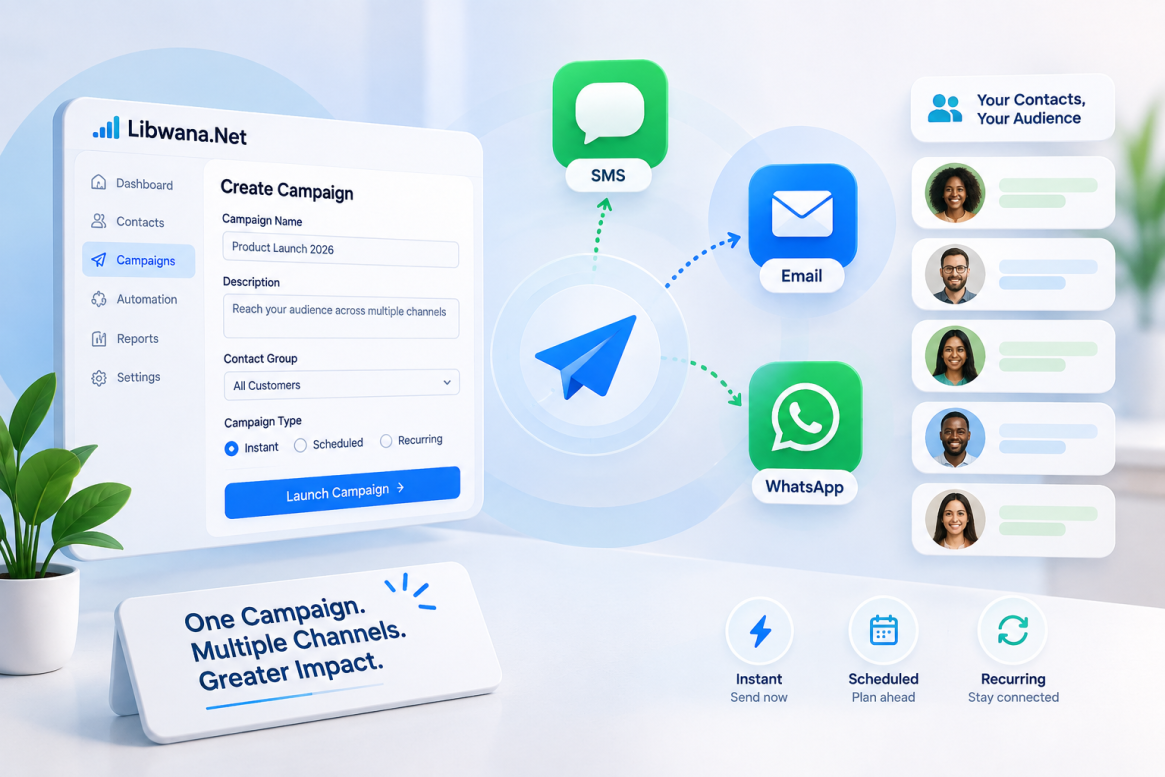
Create and Run Multi-Channel Campaigns with Libwana.net
Libwana.net Campaign Management helps businesses communicate with multiple contacts through SMS, Email, and WhatsApp from a single campaign. You can send campaigns instantly, schedule them for later, or configure recurring communication.
Here’s how to create and launch a campaign.
Step 1: Create a Campaign
Navigate to:
Campaigns → Create Campaign
Enter the basic campaign information:
- Campaign Name – Give your campaign a recognizable name.
- Description – Add a short description if required.
- Contact Group – Select the group you want to target.
- Campaign Type – Choose when the campaign should run:
- Instant – Send when you launch the campaign.
- Scheduled – Send at a selected future date and time.
- Recurring – Run the campaign repeatedly according to the configured schedule.
The selected contact group determines the audience for your campaign.
Step 2: Select Communication Channels
Choose one or more available channels:
SMS | Email | WhatsApp
The Contact Distribution section shows how many contacts in your selected group are available for each channel.
This helps you understand your potential reach before launching the campaign.
Step 3: Choose the Delivery Mode
Libwana.net provides different ways to deliver messages across your selected channels.
Auto Detect automatically chooses the best available channel for each contact.
Selected Only sends through the channels you selected. Contacts without the required channel information may be skipped.
Priority Fallback attempts selected channels in priority order until delivery succeeds.
Choose the mode that best matches your campaign strategy, then click Continue.
Step 4: Configure Your Messages
The Messages step allows you to configure content separately for each selected channel.
SMS
Select your configured SMS Gateway, then enter your message.
The platform displays the message's character and segment count, helping you manage SMS length.
Select your Email Gateway and configure:
Subject Line, From Name, Reply-To, and Message Content.
The rich-text editor can be used to create formatted HTML emails.
Select your configured WhatsApp Gateway and enter your message.
Depending on the gateway, you can also select an available WhatsApp Template. For WhatsApp Cloud API communication, approved templates associated with the configured account can be used.
A gateway must be configured before a campaign can send through that channel.
Step 5: Personalize Campaign Messages
Campaign messages can use personalization variables to make communication more relevant to each recipient.
Available variables include values such as:
{{first_name}}{{last_name}}{{full_name}}{{email}}{{phone}}
For example:
Hello {{first_name}}, thank you for connecting with us.
When the campaign runs, the variable can be replaced with the corresponding contact information.
Step 6: Review Before Launching
After configuring your messages, continue to Review & Launch.
The review page provides a final overview of:
Campaign Name, Contact Group, Campaign Type, Total Contacts, Delivery Mode, Selected Channels, Message Content, and Delivery Estimate.
Review your message carefully, confirm that personalization variables are correct, and verify your campaign settings before sending.
Step 7: Launch and Manage the Campaign
Once everything is correct, select Launch Campaign Now to start an instant campaign or use the configured schedule for scheduled and recurring campaigns.
Navigate to:
Campaigns → All Campaigns
From here, you can monitor campaign channels, contacts, progress, status, and schedule.
Available management options can include View, Edit, Launch Campaign, Duplicate, Cancel Campaign, and Delete depending on the campaign's current status.
Run Smarter Multi-Channel Campaigns
With Libwana.net, the complete campaign process is straightforward:
Create Campaign → Select Audience → Choose Channels → Select Delivery Mode → Configure Messages → Review → Launch
By combining SMS, Email, WhatsApp, contact groups, personalization, flexible scheduling, and multi-channel delivery, businesses can manage customer communication from one centralized campaign system while reducing repetitive manual work.
Recent Blogs
 Mon, Sep 7, 2026 7:25 PM
How to Set Up an Email Gateway in Libwana.Net for Single & Bulk Email Sending
 Mon, Sep 7, 2026 7:31 PM
How to Set Up an SMS API Gateway and Send Bulk SMS