

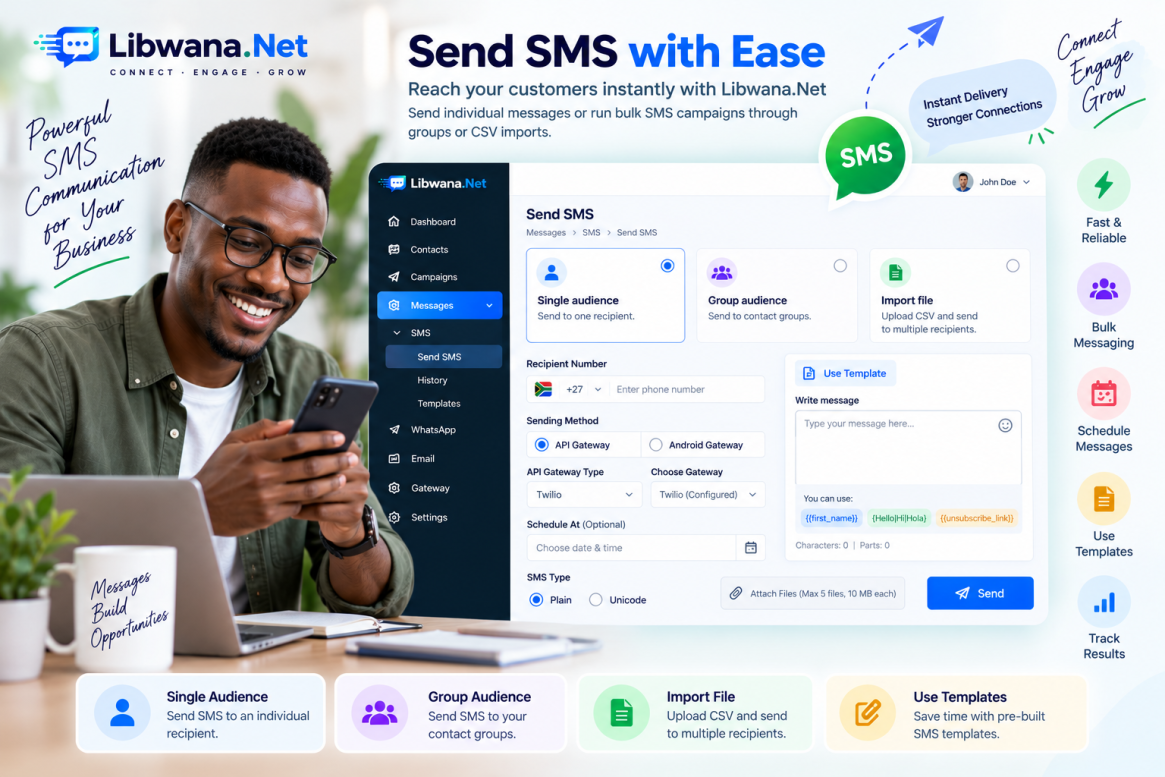
How to Send Single and Bulk SMS with Libwana.net
Libwana.net allows users to send SMS messages to individual recipients as well as larger audiences through contact groups and CSV imports.
Navigate to:
Messages → SMS → Send SMS
The SMS sending page provides three audience options:
Single audience, Group audience, and Import file.
Send SMS to a Single Recipient
Select Single audience and enter the recipient's phone number.
Next, choose the Sending Method.
The platform provides two main methods:
Android Gateway and API Gateway.
When using an API Gateway, select the appropriate API Gateway Type and then the configured gateway. For example, a configured Twilio SMS gateway may appear here when available for your account.
When using an Android Gateway, you can select the configured Android Gateway/device. Depending on the selected gateway, you may also be asked to choose the SIM used for sending the SMS.
Schedule an SMS
The Schedule At section allows you to select a date and time for future delivery.
If no future schedule is required, proceed with the normal sending flow.
Choose Plain or Unicode SMS
Libwana.net provides two SMS types:
Plain – suitable for standard text messages.
Unicode – suitable when the message contains characters that require Unicode encoding.
Select the appropriate type based on your message content.
Write and Send Your Message
Enter the required SMS content in Write message.
For group-based messages, personalization can be added using:
{{first_name}}
The editor also indicates support for text-spinning syntax such as:
{Hello|Hi|Hola}
This can help create variations of message content when supported by the sending workflow.
Once everything is configured, click Send.
Send Bulk SMS to a Group
Select Group audience when you want to send an SMS to an existing contact group.
Choose the required group, select your sending method and gateway, configure the schedule if needed, select the SMS type, and enter your message.
This makes it possible to send one SMS campaign to multiple saved contacts without manually entering every phone number.
Send Bulk SMS Using a CSV File
For recipients that are not stored in a group, select Import file.
Upload your CSV file using Choose File. You can also download the provided demo.csv to check the required format.
Then select your sending method.
For an API Gateway, choose the API Gateway Type and your configured gateway.
For an Android Gateway, choose the required Android Gateway and, where applicable, the SIM.
Complete the message details and click Send.
Use SMS Templates
Click Use Template to access previously created SMS templates.
Select an available template and its content will be loaded for use. You can review or modify the content before sending.
Templates are particularly useful for frequently sent notifications, alerts, promotions, and customer communication.
Check SMS History
Navigate to:
Messages → SMS → History
The History section helps you review previously processed SMS communication and keep track of messaging activity.
By combining individual sending, bulk groups, CSV imports, Android and API gateways, scheduling, templates, and message history, Libwana.net provides a flexible SMS communication workflow for different business requirements.
Recent Blogs
 Mon, Sep 7, 2026 7:25 PM
How to Set Up an Email Gateway in Libwana.Net for Single & Bulk Email Sending
 Mon, Sep 7, 2026 7:31 PM
How to Set Up an SMS API Gateway and Send Bulk SMS