
6a9ecbfc768311788791804.png

WhatsApp Node Device Gateway – Coming Soon

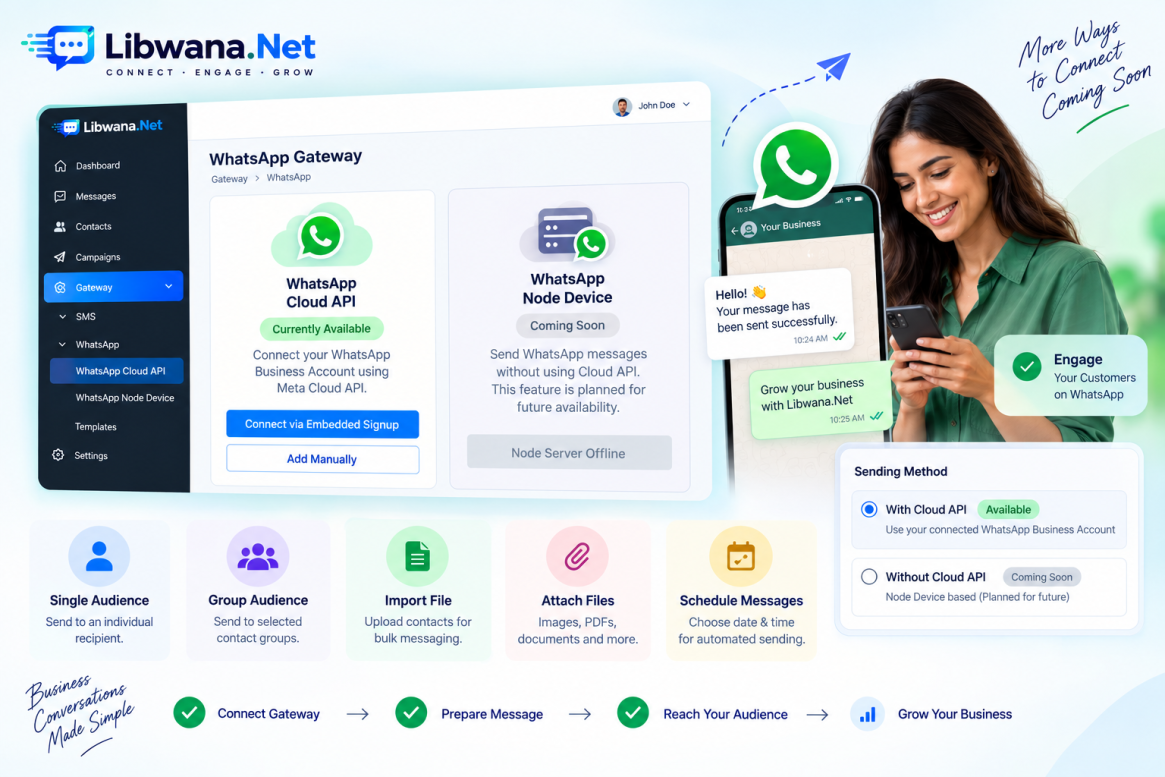
Libwana.net is designed to support multiple WhatsApp gateway methods.

In addition to the currently supported WhatsApp Cloud API, the platform contains a WhatsApp Node Device section intended to provide another method for connecting WhatsApp and sending messages without using the Cloud API.

However, WhatsApp Node Device setup is not currently offered to users.

The feature is planned for future availability.


What Is the WhatsApp Node Device Section?

The WhatsApp Node Device section can be found under:

Gateway → WhatsApp → WhatsApp Node Device

This section is intended for managing WhatsApp Node Device connections.

At present, you may see a message such as:

Node Server Offline

and:

Unable to connect to WhatsApp node server. Please configure the server settings and try again.

This does not mean users need to troubleshoot or configure the Node server themselves.

The Node Device infrastructure is simply not currently available as a user-configurable WhatsApp Gateway service.


Current Recommended WhatsApp Gateway

Until WhatsApp Node Device support becomes available, users should use:

Gateway → WhatsApp → WhatsApp Cloud API

WhatsApp Cloud API is currently the supported method for setting up WhatsApp communication in Libwana.net.

You can configure it through:

Connect via Embedded Signup

or:

Add Manually

For users who already have the necessary WhatsApp Cloud API credentials, Add Manually is the preferred method.


Future: Send WhatsApp Messages Without Cloud API

The Send WhatsApp interface already contains a sending method called:

Without Cloud API

This option is intended for the future WhatsApp Node Device functionality.

Once Node Device support is officially available, users will be able to access:

Messages → WhatsApp → Send Message

and choose:

Sending Method → Without Cloud API

The system will then allow the appropriate Node Device selection according to the options supported by Libwana.net.

The current interface includes options such as:

Random Rotation – intended to distribute/select sending across available Node Devices according to the configured rotation behavior.

Automatic – intended to allow the platform to automatically select an appropriate available Node Device.

These options are visible in the interface, but they should not currently be considered active user-supported functionality until the WhatsApp Node Device service is officially launched.


Future Node Device Messaging Flow

Once the feature becomes officially available, the intended workflow will be based around:

Gateway → WhatsApp → WhatsApp Node Device

After the required Node Device has been successfully configured, users will be able to navigate to:

Messages → WhatsApp → Send Message

Then select:

Without Cloud API

and choose the appropriate Node Device or available selection method.

The exact connection and setup instructions will be provided when Libwana.net officially launches the feature.


Audience Options

The WhatsApp messaging page supports different audience workflows.

Users can work with:

Single Audience – for sending to an individual recipient.

Group Audience – for sending messages using a selected contact group.

Import File – for importing recipient information for larger messaging operations.

The exact options available for Without Cloud API messaging will depend on the final Node Device implementation when the service is released.


Message Composition and Attachments

The Without Cloud API interface is designed with a message editor where users can prepare their WhatsApp message.

The interface also includes support for attaching additional files, such as:

Images, PDFs, and documents

The message editor provides formatting and content controls available within the interface.

These capabilities are part of the planned Node Device messaging workflow and should be treated as future functionality until Node Device support is officially enabled.


Scheduling Messages

The WhatsApp Send Message page also contains:

Schedule At → Choose Date & Time

This allows messages to be prepared for scheduled processing.

Availability and behavior for Without Cloud API / Node Device sending will be confirmed when the Node Device service is officially launched.


Cloud API vs. Without Cloud API

Libwana.net's WhatsApp messaging interface is designed around two sending methods.

FeatureCloud APIWithout Cloud API
WhatsApp Cloud APIYesNo
WhatsApp Business AccountRequiredNode Device-based
Meta Cloud API credentialsRequiredNot intended to use Cloud API
WhatsApp TemplatesSupportedDirect message editor planned
Media supportTemplate-dependentAttachments planned
Node Device selectionNoPlanned
Random Rotation / AutomaticNoPlanned
Current availabilityAvailableComing in Future

For now, users should always use Cloud API for WhatsApp messaging.


What Should Users Do Right Now?

If you want to send WhatsApp messages through Libwana.net today, use the following workflow:

1. Go to Gateway → WhatsApp → WhatsApp Cloud API.

2. Connect your WhatsApp Business Account using Embedded Signup or Add Manually.

3. Configure your webhook if required.

4. Make sure the required WhatsApp templates are available.

5. Go to Messages → WhatsApp → Send Message.

6. Select Single Audience, Group Audience, or Import File.

7. Select Cloud API as the Sending Method.

8. Choose your connected Business Account.

9. Select the required WhatsApp template.

10. Complete the required template data and click Send.

The Without Cloud API option should currently be ignored until WhatsApp Node Device support is officially released.


Coming in the Future

Libwana.net plans to provide WhatsApp Node Device Gateway support in the future.

Once available, this will introduce another WhatsApp messaging method alongside the existing WhatsApp Cloud API and allow supported messaging workflows through the Without Cloud API option.

The final setup process, Node Device connection procedure, sending configuration, and usage instructions will be provided when the feature becomes officially available.


Conclusion

Libwana.net currently supports WhatsApp messaging through the WhatsApp Cloud API.

Although the platform already contains interfaces for WhatsApp Node Devices and Without Cloud API messaging, these features are not currently offered for user setup and are planned for future availability.

For now, configure your WhatsApp Business Account through WhatsApp Cloud API and use:

Messages → WhatsApp → Send Message → Cloud API

to send your WhatsApp communications.

When WhatsApp Node Device support becomes available, users will also be able to use the Without Cloud API workflow as an additional WhatsApp messaging option.